
How-to guides
Verify people & spot leadership changes
Keep contacts honest: who's still there, who left, who just joined.
People move constantly — and emailing someone who left last quarter burns credibility. A people check re-verifies every named contact on an account against public sources and looks for leadership joins, departures, and promotions relevant to your buyer personas. It's also how decision-makers added by the Prospector graduate from Needs Verification to Verified.
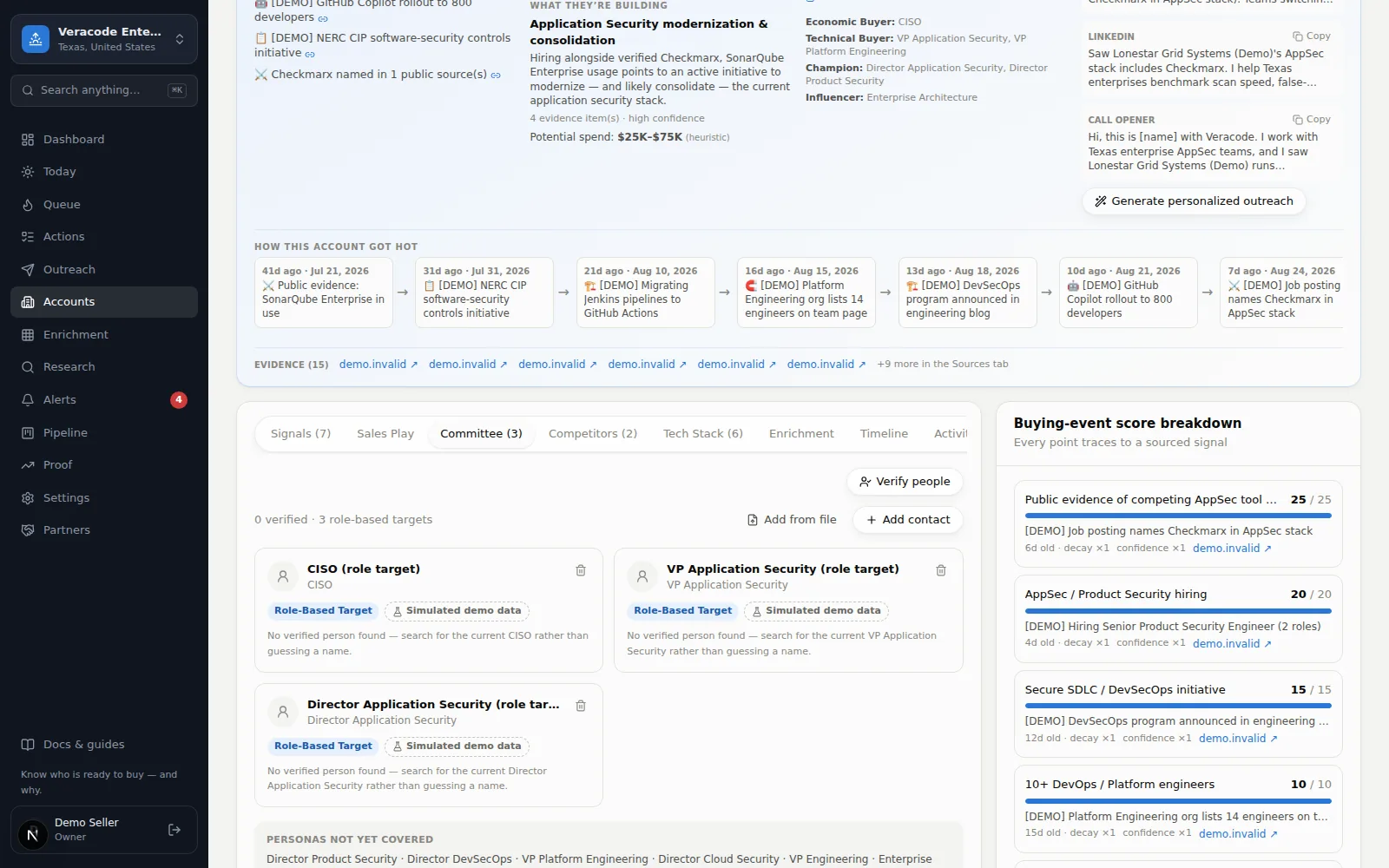
- 1Run a checkAccount pageCommittee tabVerify people — pick Check now (instant lane) or Queue for free overnight lane. While the Research screen says instant research is turned off, the menu offers only the overnight option.
- 2See what changedContacts confirmed in role, on a sourced claim at confirmed or high confidence, are marked Verified (titles corrected if they changed). People who left, on the same standard, become Departed (verified). A claim that states no confidence isn't enough. A move with weaker support is recorded as a lead at its stated confidence and changes nobody's status on file. A newly reported leader is added as a contact with the source that reported them: Verified when the claim is confirmed or high-confidence, Needs Verification otherwise.
- 3Watch for the alertA reported move adds a sourced executive-change signal to the timeline, and a move that states a confidence above Needs Verification raises a high-priority alert — and can raise the Event score, because new leaders change vendors.
It also runs by itself
Champions: follow your best people wherever they go
Star a contact on the Committee tab (the ☆ next to their name) to mark them a champion — someone who knows and likes you: a past buyer, a warm relationship, an internal advocate. Champions get their own weekly job-change check on the free overnight lane, ahead of the regular 14-day cycle (paid plans). When a champion turns up at a new company with a public source, Diurno HQ notes the move on their card and raises an alert: high priority when the claim is confirmed or high-confidence, otherwise an info-level “may have moved” alert that says the source isn't conclusive (only a confirmed or high-confidence move marks the old contact Departed (verified)). A LinkedIn profile on its own is not a public source for a move: such an answer is kept as a lead whatever confidence it states — the note on the card says “reported, not confirmed”, the old contact isn't marked Departed, and the alert is the info-level “may have moved” and says the only source is a LinkedIn profile. If that company is already in your workspace (matched by its trading name: case, punctuation, a legal ending such as “Inc”, a ™ or ® sign and the accents on Latin letters don't matter, while letters in other scripts are compared as written), the champion is added there as a contact with the source (Verified when the claim is confirmed or high-confidence, Needs Verification otherwise), a champion joined signal is logged at the claim's stated confidence, and the account is rescored. (For a move whose only source is a LinkedIn profile, that contact is Needs Verification with the profile as their link and no source, and the signal is Needs Verification too, so it scores zero until a later check finds a public source — a press release, a team page, news.) A friendly face landing at a target company is a strong buying signal. A move first reported as a lead is upgraded when a later check confirms the same move: the earlier contact becomes Departed (verified), the new one Verified, the signal takes the stronger confidence, and a high-priority “moved” alert follows the earlier “may have moved” one.
The rule of evidence applies here: a move is recorded only with a public source, and a person you removed from an account isn't added back by research. See the honesty rules.