
How-to guides
Generate outreach
Personalized email, LinkedIn, and call copy — for one account or a whole view.
Diurno HQ writes the first touch for you — an email (subject + body), a LinkedIn message, and a call opener — grounded only in that account's verified evidence. No invented pain points, no “I noticed you're growing” filler.
For one account
- 1Open the account's trigger briefThe What to say section has ready copy based on the recommended play — or says no play has matched yet.
- 2Personalize itClick Generate personalized outreach (Regenerate outreach once it has been personalized) and the copy is rewritten around this account's actual signals — the new exec, the hiring push, the competitor renewal. It runs on the instant lane, so it shows as queued and the copy appears, marked ✦ personalized, when the job finishes (watch it on the Research screen). An account with no sourced evidence yet gets a plain message to run research first. Tweak it to your voice.
- 3Send it without leaving Diurno HQHit Email in the account header — the composer's AI opener button pulls this copy straight in, and the send is logged automatically. See Send email & sequences.
For a whole list
- 1Filter the Accounts screen to your listAny filters or a segment — the batch targets exactly what you see.
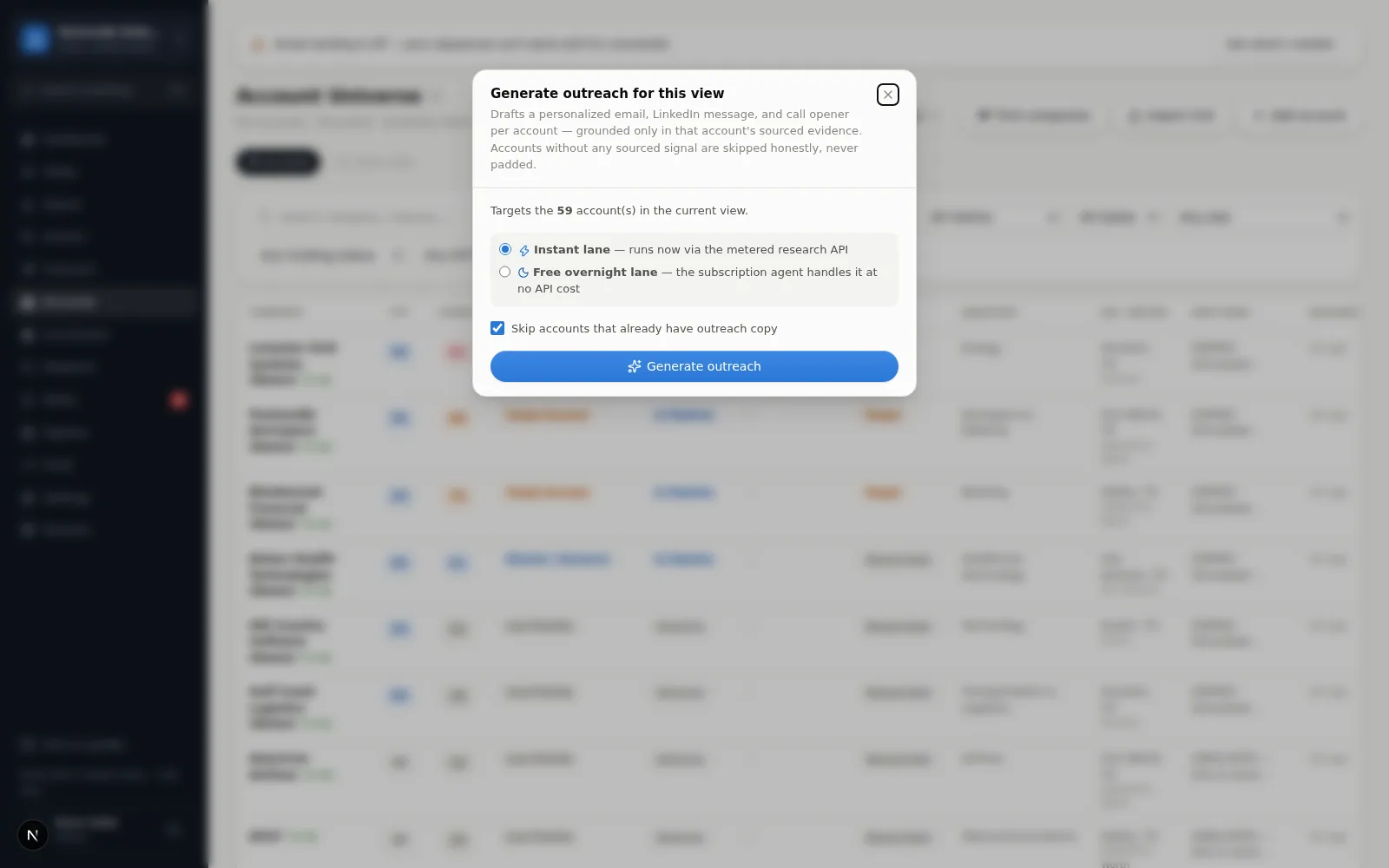
- 2Bulk → Generate outreach for view…The Generate outreach for this view dialog covers up to 200 accounts — the first 200 by Event score if your view is longer. Pick the lane (instant or free overnight) and whether to skip accounts that already have copy.
- 3Read the honest tallyHow many jobs were queued, how many accounts were skipped (no sourced evidence yet), how many were skipped (already have outreach), and how many were in scope. Accounts with no sourced evidence are skipped on purpose — there's nothing true to personalize with yet. Research them first. Evidence counts only if it is sourced, above Needs Verification, and hasn't aged out under your workspace's freshness settings — the same evidence the draft would use.
Evidence-gated by design
If accounts are counted as “skipped (no sourced evidence yet)”, that's Diurno HQ refusing to write fiction. Run research on them and the gate opens.
While instant research is turned off
When the Research screen says instant research is turned off, copy is written on the overnight lane: a batch (and the single-account button) is queued for an overnight batch (no guaranteed turnaround) instead of failing, and the dialog says so. See Research lanes & cost.