
How-to guides
Connect your CRM
Push an account and its best contact into OnePageCRM or HubSpot — a repeat push updates the record Diurno HQ created or matched.
If a CRM is where you work your day, Diurno HQ can push accounts straight into it — Diurno HQ finds and explains the companies, your CRM runs the deal. Three are supported today: OnePageCRM (an account as a contact, with the score and a why-now line as background, tags, and pending next actions in the Action Stream), HubSpot (a company plus its best contact, associated and refreshed on each push) and Salesforce (Beta — its own section below). CRM sync is part of the paid plans — the Free plan doesn't include it.
How a repeat push behaves: Diurno HQ remembers the record it created or matched and updates that one on every later push. If you delete or merge it in the CRM, the next push finds it again (HubSpot by website domain, Salesforce by website) or creates a fresh one and links it. A push fills in blanks and refreshes the text Diurno HQ wrote itself; it doesn't overwrite or clear what your team typed. Matching goes by the company's own website, and the lookup doesn't guess: an account whose only website is a page on a shared platform (LinkedIn, a job board, a site builder such as *.vercel.app or *.github.io) isn't matched to an existing record and gets a new one (a link saved earlier is still used); a company whose own website is a shared platform's front page (a job-board or code-hosting company's own domain, say) is matched like any other. The why-now text a push sends is one sentence built only from the account's current evidence — a public source, a confidence above Needs Verification, not aged out under your workspace's decay settings — the same sentence the Daily Brief uses. With no such evidence that field is left alone, and if the evidence later ages out the earlier sentence stays in the CRM until a push with current evidence replaces it (Diurno HQ doesn't clear CRM fields). A OnePageCRM or HubSpot push sends one account and one person (the best contact); a Salesforce push sends the account and up to three of its best named people with an email — none of them sends the whole buying committee. And deleting an account, contact or workspace in Diurno HQ does not remove the copies already pushed to a CRM, Slack or a webhook — remove those in those systems.
Connect OnePageCRM (once)
- 1Get your OnePageCRM API credentialsIn OnePageCRM: click your profile icon (top right) → Apps and Integrations → API (under Utilities) → the Configuration tab — copy your User ID and API Key.
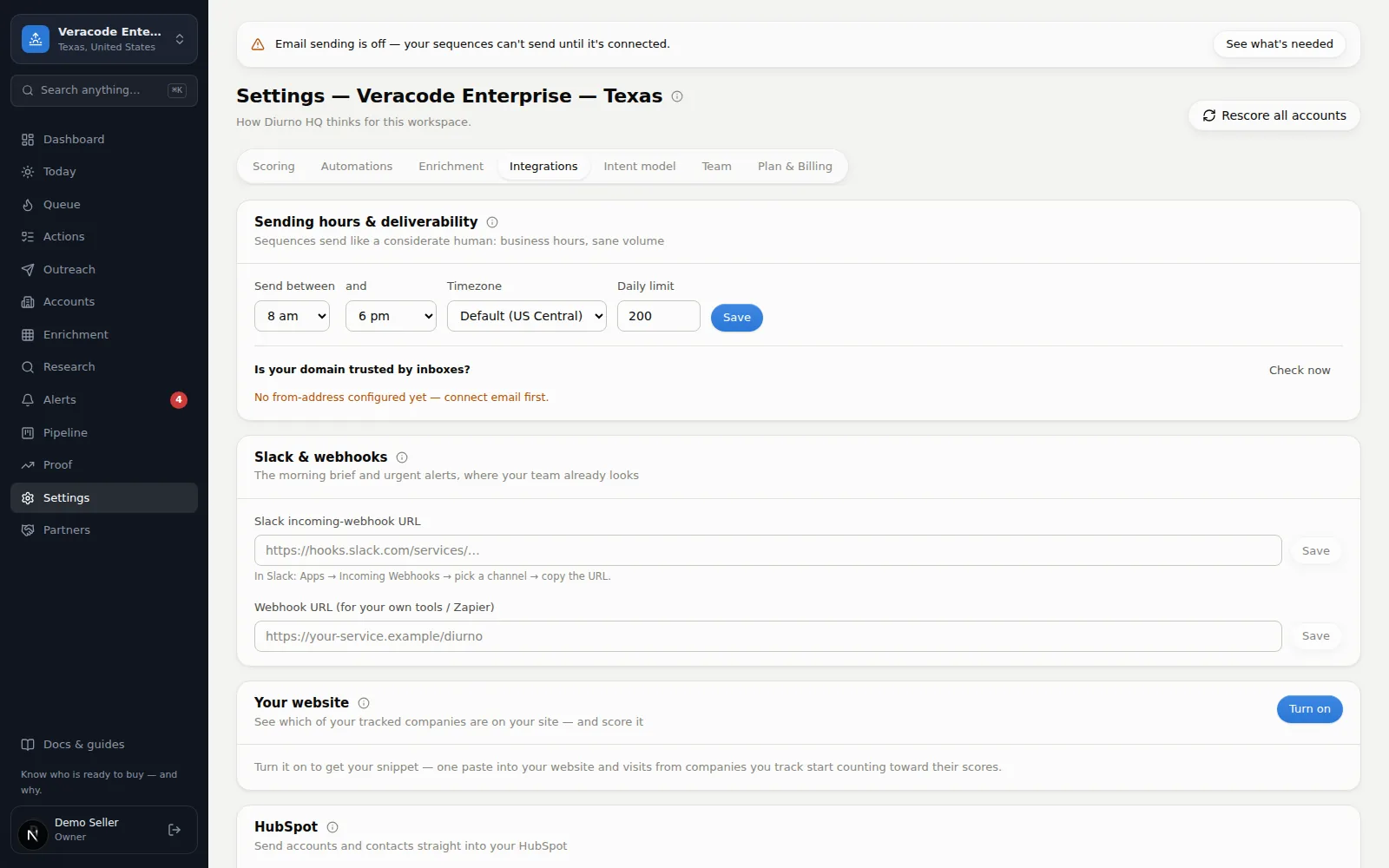
- 2Enter them in Diurno HQSettingsIntegrations — paste both, keep Integration enabled ticked, hit Save. Owner/admin only, and shared by every workspace in your organization. The key is stored server-side and never shown again — you'll only ever see its last 4 characters.
- 3Test the connectionClick Test connection. “Connected” means pushes will work. It tests the saved credentials, so it's disabled while you have unsaved edits — save first.
Pushing accounts
| Scope | How |
|---|---|
| One account | Push to CRM in the account page header — a successful push also lists anything it left out or had to retry, and if it fails the reason shows right under the button. |
| A whole view | AccountsBulkPush view to OnePageCRM… — pushes the top of your current view by Event score (up to 100 per batch). A batch stops early if the CRM rejects the credentials or keeps rate-limiting, and says how many accounts it didn't attempt — push those again. |
| Automatically | An automation rule with the “Push to OnePageCRM” action — e.g. push every account the moment it enters Call now. |
- What a push sends — the company name and score, a why-now line built from the account's current, sourced evidence, tags (#Diurno HQ and the account's own), the website and the person's LinkedIn link, and up to three pending next actions. The person is a named Verified contact (a champion first), never someone confirmed to have left. No email addresses or phone numbers are sent. Long names are shortened to OnePageCRM's limits (the full account name stays in the background).
- No verified person yet? The account is pushed as a company record (the background says “No verified contact yet”) so it still lands in your stream; re-push after verifying people.
- Re-pushing keeps your edits — it updates the contact Diurno HQ created: text you changed (name, title, background) is left alone, and tags and links are added to yours. When the verified person changes (or goes away, leaving the company record), the first name, last name and title that Diurno HQ wrote are replaced or cleared; anything you typed in those fields is kept, and if OnePageCRM refuses an empty value the push says so. A contact created by an earlier version of Diurno HQ is recognized by its own text (the names and title it would have written, and a background that opens with “Event score” and ends with “Pushed from Diurno HQ”); if you have edited it, or it is for someone Diurno HQ no longer lists, it is left as it is and the push says so once. Delete the contact in OnePageCRM and the next push creates a new one. Diurno HQ does not search your existing OnePageCRM contacts, so someone who is already there can get a second record on the first push.
- Next actions — the first action ever pushed becomes the contact's Next Action and later ones queue behind it; each is pushed once. Completing one, or changing its due date, doesn't sync back.
HubSpot
- 1Create an access token in HubSpotHubSpot: Settings → Integrations → Private apps → Create. Grant the CRM scopes for companies and contacts (read + write), plus
crm.schemas.companies.readif you want Industry sent, then copy the access token. HubSpot is replacing legacy private apps with service keys (Settings → Integrations → Service Keys): accounts created since 28 September 2026 can no longer create private apps, and existing accounts lose that on 26 October 2026. A service key is also a bearer token, but Diurno HQ has only been tried with private-app tokens — Test connection will tell you if HubSpot accepts it. - 2Paste the token in Diurno HQSettingsIntegrationsHubSpot — paste, save, then Test connection. Owner/admin only; the token is stored server-side and only its last 4 characters are ever shown again.
- 3PushPush to HubSpot appears in every account page header once connected. Diurno HQ looks the company up by website domain in your HubSpot portal (an account with no website relies on the link a push saved). An existing company is updated in place: only properties that are blank in HubSpot are filled, and text Diurno HQ wrote itself is refreshed — what your team entered is left alone, and nothing is cleared. The company description is that same evidence-backed why-now sentence. Industry is sent only when it matches one of your portal's industry options. The contact is the best one with an email — a Verified person first, never someone confirmed to have left — created or matched by email, filled in only where blank, marked as opted out of email in HubSpot if they are on your do-not-email list here, and associated with the company. A contact who isn't Verified in Diurno HQ is still sent when they are the best person with an email. When Diurno HQ creates that contact in HubSpot it adds a note to it saying their details are unconfirmed, and the push result says so (the note needs the private app to be allowed to create notes — if HubSpot refuses, the push says so and tries again next time). A contact who is already in your HubSpot is your record: Diurno HQ adds no note to it and only fills in a blank first name, last name or title, and if it filled in any of those for a person who isn't Verified, the push result says so. Verified people get no note. A company pushed by an earlier version keeps refreshing the properties that still equal what that version wrote (name, domain, industry, city, state, the stored description); a value that differs is treated as yours and left alone. If the contact step fails the company is still saved, and the push says so.
Salesforce (Beta)
Salesforce is a two-way sync: companies and their best contacts go into Salesforce, your Salesforce accounts can be imported, and opportunity outcomes come back so a win shows up as a customer here. It connects with your own Salesforce app (OAuth client-credentials flow), so no one shares a password, and Diurno HQ can only do what the app's integration user is allowed to.
Beta — built against Salesforce's documented API, not yet run on a real org
…sandbox.my.salesforce.com), push a couple of accounts, and check the result before pointing it at production. Errors are shown in plain words (including Salesforce's own message), and a failure is reported rather than leaving a half-saved record.- 1Create an app in SalesforceSetup → App Manager → New External Client App (older orgs: New Connected App). Turn on OAuth, add the scope Manage user data via APIs (api), and enable the Client Credentials Flow. Set Run As to an integration user with API Enabled, create/edit on Account, Contact and Task, and read (create, if you turn on opportunity sync) on Opportunity. Copy the app's Consumer Key and Consumer Secret.
- 2Connect itSettingsIntegrationsSalesforce — paste your My Domain URL (Setup → My Domain; it ends in
.my.salesforce.com— anything else is refused), the Consumer Key and the Consumer Secret, then Save and Test connection. The test signs in, checks the API, shows how many API calls your org has left today, and reports which optional Diurno fields it found. Owner/admin only; the secret is stored server-side and never shown again. - 3Optional: add the Diurno fieldsTo carry scores onto each Account, create these fields on Account (the API name must match exactly) and give the integration user edit access:
Diurno_Priority__c(Text 40),Diurno_Intent_Score__candDiurno_Fit_Score__c(Number 3,0),Diurno_Why_Now__c(Long Text Area),Diurno_Last_Researched__c(Date/Time) andDiurno_Account_URL__c(URL). Whatever exists gets filled; whatever doesn't is simply skipped.
What gets synced
| Direction | What happens |
|---|---|
| Account → Salesforce | Push from the account page (Push to Salesforce), the Accounts bulk menu (up to 100 at a time), an automation, or the daily sync. The company is matched by website domain (scheme, www. and a trailing slash don't matter; a substring never counts, so ge.com isn't mortgage.com): an account Salesforce already has is linked rather than duplicated, and its standard fields are not edited — only the Diurno fields above are written. An account with no website, or a different website in Salesforce, isn't matched and gets a new record (a link saved earlier is still used). A link to a record that no longer exists, or that was made in a different Salesforce org, is matched again by website. A new record is created with name, website, industry, city, state, country, employee count and a short description (whatever the account has). A web address or email longer than the org's field is left out rather than cut into a wrong one. |
| Contacts | The best named people with an email become Contacts under the account, with their verification status in the description. Each is created once and then left to its Salesforce owner; people marked departed are skipped. The one later change is an unsubscribe: a contact marked do-not-email here gets HasOptedOutOfEmail set on the Salesforce Contact (set only, never cleared; the integration user needs write access to that field). When the org doesn't let the integration user set it, the push says so, keeps saying so on later pushes (the daily sync pushes it again, at most three times in all) and doesn't record the opt-out as delivered. |
| Why-now task | When an account first reaches Call now or Call this week — and again if it escalates — one Task is created with the sourced reason and links to the newest three current sources. Turn this off in the card's options. |
| Opportunities → Salesforce | Off by default. When on, an open Diurno deal becomes a Salesforce opportunity using your own opportunity stages (same name, or the closest by win probability). After that, stage changes flow from Salesforce, not back the other way. |
| Salesforce → accounts | Import accounts… brings in Salesforce accounts that have a website, filtered by type, industry, owner email or recent change (never raw SOQL). Each run reads the 2,000 most recently modified matches and adds up to the number you choose (500 at most) — run it again to continue while importable accounts are still waiting, or narrow the filters; matches beyond the 2,000 can't be reached with the same filters however often you run it (narrow them by account type, industry or owner). Companies you already track are linked; two Salesforce accounts that share a website and match one account that isn't linked yet link the first and count the second as already linked; one whose name already exists here with a different (or no) website is skipped and listed rather than merged; accounts whose Salesforce website is a profile or careers page (LinkedIn, a job board) are skipped and counted on their own line, because that is an address but not the company's own site, while accounts with no website, or one that isn't a web address, are counted as having no usable website (a shared platform's own front page, such as a job-board or code-hosting company's own domain, is a company's site and imports like any other). The result also counts what was found, added, linked, already imported or linked, and held back by your plan's limit. Added accounts (within your plan's limit) are tagged #salesforce. |
| Salesforce → outcomes | For linked accounts: an open opportunity moves the account to In Pipeline and appears on the pipeline board; a closed-won one makes it a Customer with the real amount, and it counts as a win on the pipeline board, in the forecast and in Proof; a closed-lost one closes the mirrored deal and leaves the account alone. |
Automatic daily sync
Tick Sync automatically every day and the daily agent pushes up to 50 new accounts per run that have reached the level you choose (Call now, Call this week, or Monitor), updates up to 50 linked accounts whose data changed — “changed” means what Diurno HQ would send now differs from what it last sent (scores, priority, the why-now sentence, who it would hand over, an unsubscribe, open deals, or the org now accepting Diurno fields it didn't before — you created the optional Diurno_* fields or opened them for writing; an account nobody touched is filled the next time it changes, or when you press Push), oldest push first — and pulls outcomes back. An account that keeps failing is retried after 1, 2, 4 and then 7 days, and the card shows how many are waiting for the next run. N already up to date on the card means accounts the sync looked at and found identical to what it last sent — no Salesforce call was made and they don't use a place in the run's 50. A push that ends with a warning (a contact the org refused, say) is pushed again on the next runs, at most three times in all. One run compares at most 1,000 recently touched accounts and the next run continues from there. Sync now does the same on demand, and the card shows the last run's result — including any error, such as expired credentials. It's off until you turn it on, and it never creates Disqualified accounts or customers in Salesforce on its own.
- “Nothing new to push” is a normal result, not a fault: the sync only creates accounts that have reached the level you chose (a brand-new, unresearched account hasn't) and only updates ones already in Salesforce that changed. Push any other account yourself from its page or the Accounts bulk menu.
- Disconnect removes your credentials and stops syncing. Accounts already in Salesforce stay linked, so reconnecting to the same Salesforce org resumes as updates. If you reconnect to a different My Domain (sandbox to production, say), the old links are ignored and each account is matched again by website — import or push again after a switch.
- Limits — every call counts against your Salesforce org's daily API allowance; a batch stops cleanly and says how many accounts it didn't attempt if the org reports it has run out (the bulk-push dialog's last line gives the count). An error nobody expected shows as “Unexpected error during the sync” in the card, with the details in the server log.
- Archived workspaces are skipped, and CRM sync is part of the paid plans.