
Start here
5-minute tour
One lap around the app: what every screen in the sidebar is for.
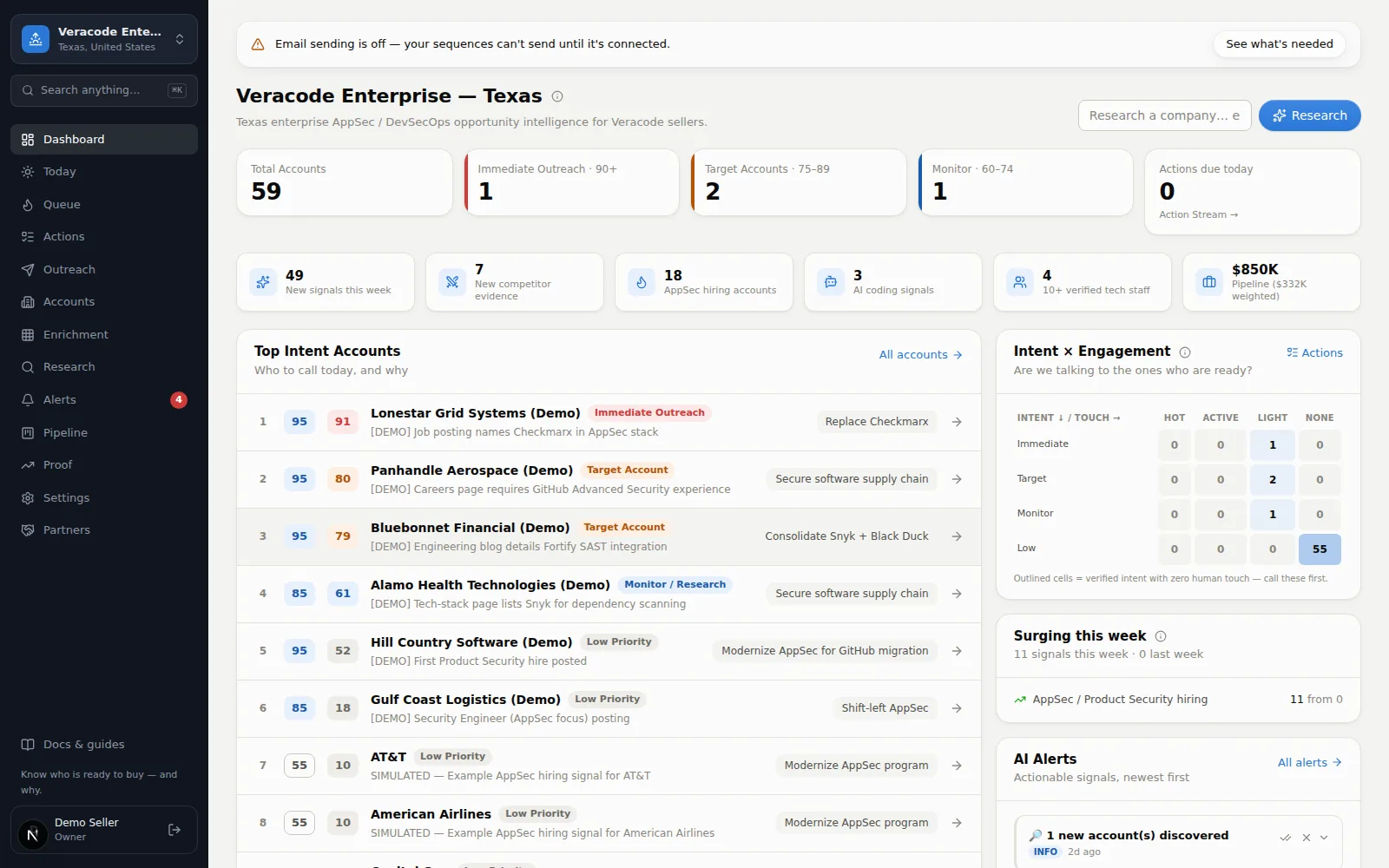
Everything lives in the dark sidebar on the left (on a phone, tap the menu button top-left). Three things follow you everywhere: the guide strip across the top of every screen — it names your next best step and carries a button that goes there; search (the box under the workspace name, or ⌘K on a Mac / Ctrl+K elsewhere, anywhere) — type a company, an action, or a screen (results come in that order: Companies, Do, Go to) and jump straight to it; and the Docs & guides link at the bottom of the sidebar, which opens this knowledge base. Here's what each sidebar item is for, top to bottom.
| Screen | What it's for |
|---|---|
| Dashboard | The big picture: how many accounts are hot, who moved this week, top accounts to call, and charts of your whole universe. Details → |
| Today | The N companies to contact today — a frozen morning list with why-now, the person, and what to say on every card. Details → |
| Queue | Your ranked call list — the top 50 accounts with live buying evidence, beyond today's picks (customers and disqualified companies are left out). Details → |
| Actions | Every account's next step in one to-do list — overdue first. Finish one, it asks for the next. Details → |
| Outreach | Email leaves Diurno HQ here: templates, multi-step sequences that stop on reply, and a log of the most recent messages sent. Details → |
| Accounts | The full universe. Search, filter, save views, import CSVs, find new companies, export, and run bulk actions. Details → |
| Enrichment | A research spreadsheet: your accounts down the side, your questions across the top, sourced answers in the cells. Details → |
| Research | The job queue behind the scenes. Submit a company, watch research run, retry failures. Details → |
| Alerts | What changed: score jumps, leadership moves, competitor evidence. The red badge counts unread (99+ past 99). Details → |
| Pipeline | Simple opportunity tracking — stage, value, close date — with a weekly-to-yearly weighted forecast underneath. Details → |
| Proof | Did the scores predict pipeline? Cohort funnels, lift, and which signals convert — with the methodology attached. Details → |
| Settings | Tune scoring, automations, questions, integrations, and your team. Details → |
The fastest way to learn Diurno HQ
Open Queue, click the top company, and read its page top to bottom. Nearly everything the product does shows up on that one account page.