
Screens
Accounts
Your whole account universe: search, filter, segment, import, export, bulk actions.
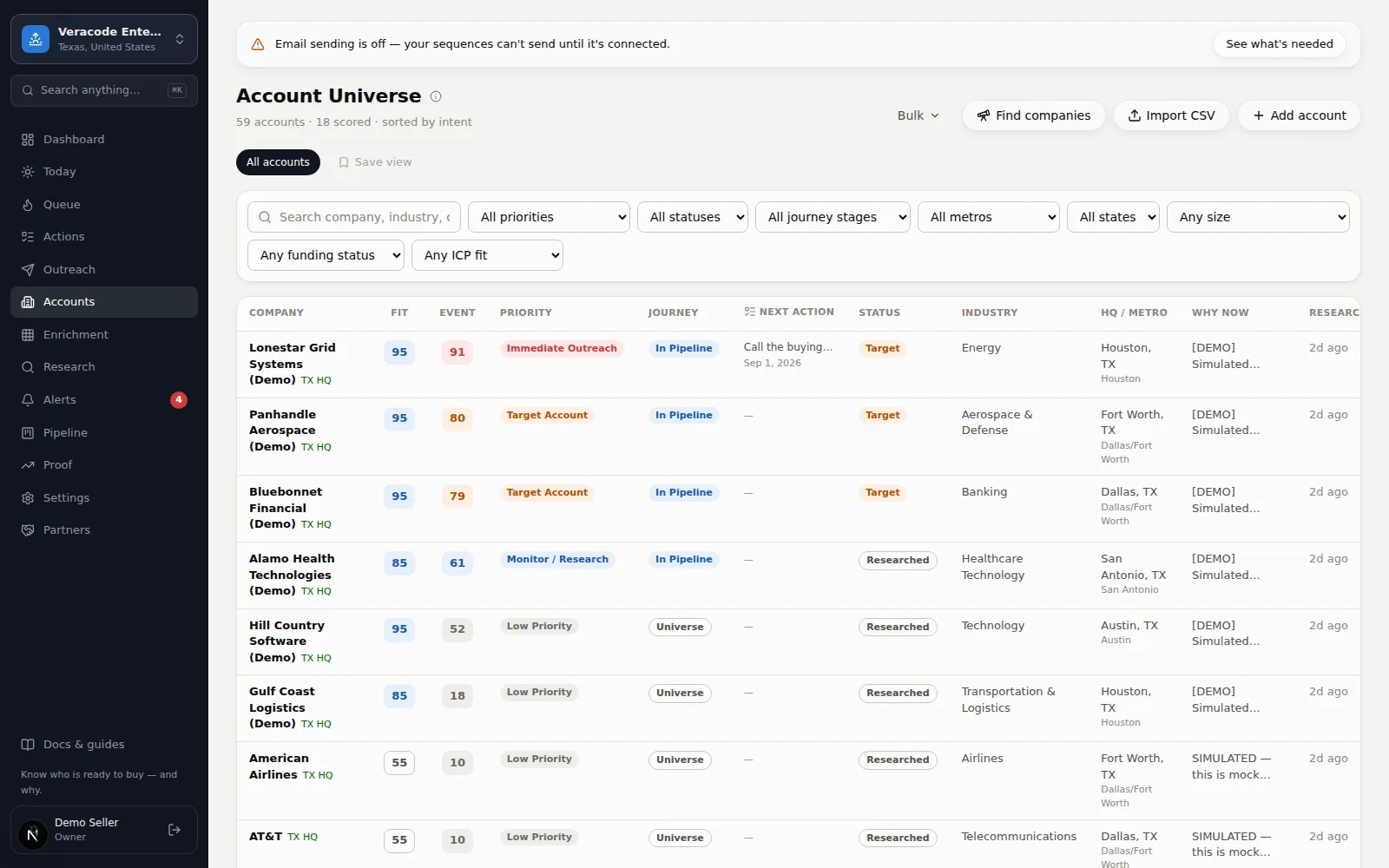
The Accounts screen (headed Account Universe) is your whole universe in one table, sorted by Event score. Search and filters narrow it; segments save those filters as reusable views; the toolbar imports, exports, and runs bulk actions on whatever you're currently looking at.
Finding accounts
- Search matches company name, industry, city, and the why-now text. It's saved in the address (
?q=), so Back from an account returns you to the same results; while new results load, the old rows stay on screen, dimmed. - Filters — priority band, status, journey stage, engagement (Hot / Active / Light / No engagement), metro, state, company size, funding (has a funding signal with a public source and a confidence above Needs Verification / raised in the last 6 months / none), and ICP fit (good 70+, medium, low). Each option names its field (“Priority · Call now”) and active filters are highlighted; Clear filters appears whenever any is on. Click a #tag on any row to filter by that tag. Filters flow through to the CSV export (ICP fit included) and saved views — and the dashboard's clickable tiles and charts land here with the matching filter already set, so you can see it and remove it.
- Segments — the pill row above the table. One click applies a saved view. Build your own: Saved views.
- On a phone the selects fold behind a Filters (n) button, and the table becomes stacked account cards.
The toolbar
| Button | What it does |
|---|---|
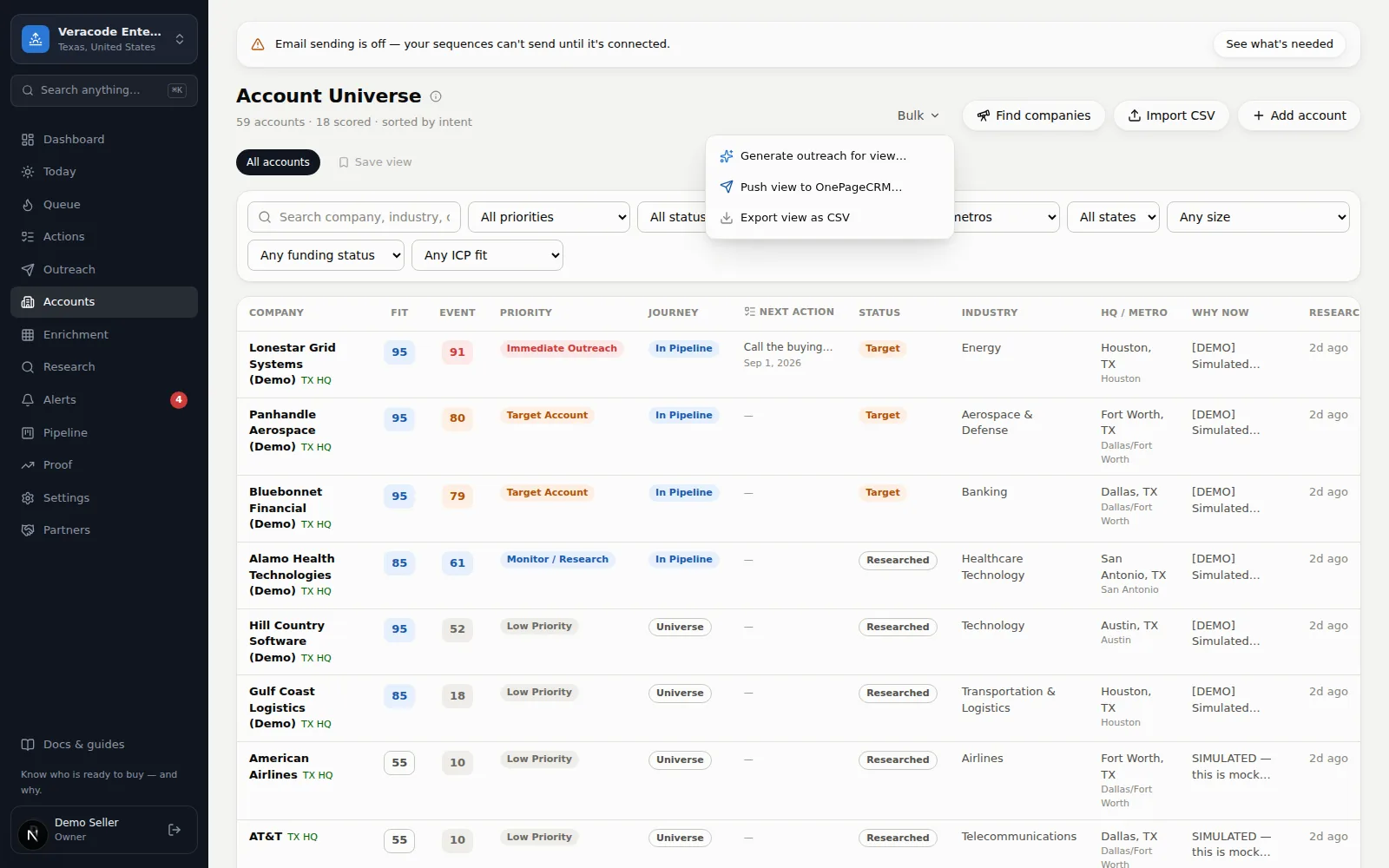
| Bulk (N) | Acts on the current view — N is how many accounts it holds (disabled when the view is empty). The list loads 500 at a time (“Show the next 500” loads the next page, starting a few rows back so every account shows once; if the list changes while extra pages are loaded, the extra pages are cleared with a one-line note and the first page is shown again), and Bulk and the export act on the first 500 of the view: generate outreach for the first 200 accounts shown, push the top of the view to OnePageCRM or Salesforce (Beta), or export it as CSV — the same filters and cap as the list, with progress and a toast such as “Exported 500 accounts of 1,240 matching”. The file is named after the workspace’s short identifier (for example acme-workflow-demo.csv). |
| Find companies | Prospect NEW companies — set the filters yourself (industry, state, size, funding) or paste your website and let AI draft them. Candidates come back with sourced evidence and 1–2 likely decision-makers; you pick which join the universe. A running or unreviewed search survives closing the dialog (the button shows “results ready” when it finishes). See Find new companies. |
| Import CSV | Bring your own list — the dialog has a Download sample CSV link; rows past the per-file limit are reported, not dropped silently. See Import your account list. |
| Add account | Create one company by hand, then research it. A website is stored as a web address (acme.com becomes https://acme.com); text that isn't one is refused with “That doesn't look like a web address”. |
Reading the table
Each row shows the Fit chip (does the company match who you sell to — a dash means not assessed yet) and the Event score badge (is something happening now), priority band, journey stage, the account's next action, status, location, and the why-now line. Click any row to open the account page — rows are real links, so ⌘/Ctrl-click or middle-click opens a new tab and they work from the keyboard. “Research pending” in the why-now column means the account hasn't been researched yet — see Research a company. A TX? chip (Texas presence not yet verified) appears only in workspaces whose geography includes Texas; a sourced TX HQ always shows.
An empty table always says why: No accounts match these filters (with Clear filters), or No accounts yet with Find companies, Import CSV, and Add account. If the list fails to load you see Couldn't load accounts with Try again — never a false “no matches”.