
How-to guides
Set up automations
When something happens on an account, do something about it automatically.
Automations are when-this-then-that rules that act the moment something happens on an account — so nothing depends on you noticing. A rule fires once per underlying event, not twice for the same change. Owners and admins create, edit, pause and delete rules; members see them read-only. A rule is checked when you save it (type, priority and stage names, counts, assignee, sequence), and stored settings that turn out to be malformed are read as defaults so they can't stop the nightly pass.
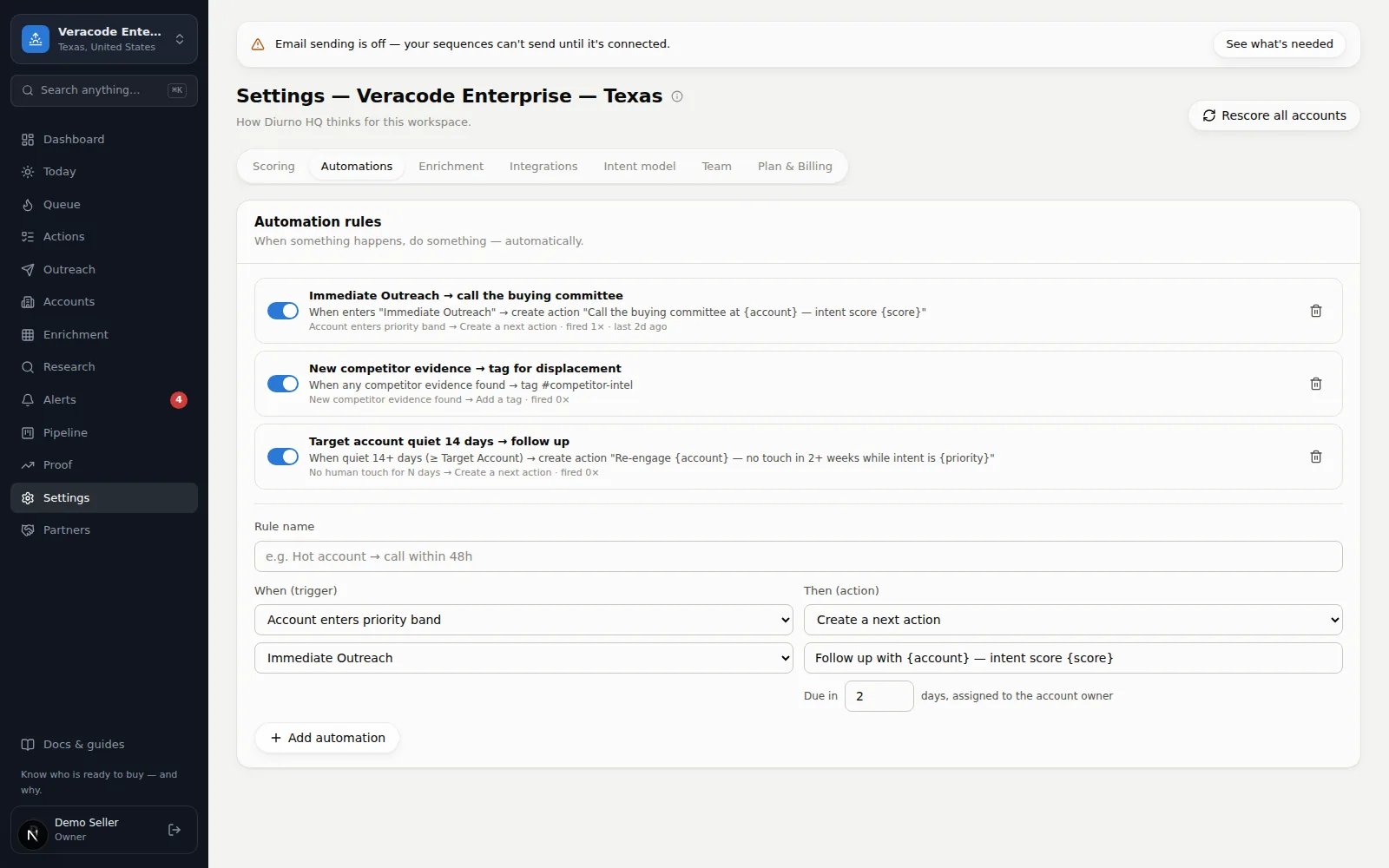
Create a rule
- 1Open the formSettingsAutomations — name the rule.
- 2Pick the trigger (“When”)
- 3Pick the action (“Then”)
- 4Add automationThe rule is live immediately; the toggle pauses it, and its row shows how often and how recently it fired.
Triggers
| When… | Fires when |
|---|---|
| Account enters priority band | An account moves into the band you pick (e.g. Call now) — fired when it enters and again on each re-entry, never for a score change inside the band. |
| Event score jumps by at least… | A single rescore raises the score by your minimum or more. |
| Account enters journey stage | The journey stage you pick is reached. |
| Predicted buying stage becomes… | The buying-stage prediction changes to your pick. |
| New competitor evidence found | Evidence of a rival appears (optionally one specific competitor). |
| No touch for N days | An account at or above a priority you pick has had no logged call, email, meeting or LinkedIn activity, and no reply, for N days (1–365). An email a sequence sends counts as a touch, so an account in the middle of a cadence isn’t quiet. The daily agent checks this once a day. |
Actions
| Then… | What happens |
|---|---|
| Create a next action | Adds a to-do (with due date, assigned to the owner), marked Auto-created in the Action Stream. Placeholders like {account} and {score} fill in — the form lists them under the fields. |
| Raise an alert | Creates an alert at the severity you pick, with a title and optional details. |
| Add a tag | Tags the account (e.g. #hot). |
| Set account status | Moves the account's status. |
| Push to OnePageCRM | Sends the account to OnePageCRM — needs the integration connected. A push made by a rule gets at most 30 seconds; past that the rule's note says it was skipped and the next push tries again. |
| Push to Salesforce (Beta) | Creates or updates the account in Salesforce (with its best contacts and a why-now task) — needs Salesforce connected, with the same 30-second budget. Like the other CRM pushes, it isn't available on the Free plan. |
| Enroll in outreach sequence | Puts the account into an email cadence you built on the Outreach screen — e.g. every account entering Call now starts the hot-account sequence. The runner (every 15 minutes) delivers step 1 on its next pass; an account with nobody to email is stopped by the runner with the reason shown. With no active sequence yet, the form links to Outreach instead and can't be saved. |
| Find more companies like this one | Queues an overnight Prospector search (1–25 companies) seeded from the account's industry, state, and name — the classic pairing is “enters the Customer journey stage → go find its lookalikes”. It doesn't stack a second search for the same account while one is still waiting or running. |
The two rules most teams start with
1) Enters Call now → create action “Call {account} within 48h”. 2) New competitor evidence → raise a high alert. Add more once these feel routine.