
How-to guides
Ask a research question
Add a question column and have it answered across every account.
Any question you'd ask an analyst can become a column answered for every account: “Latest funding?”, “Do they use recruiting agencies?”, “Public bug bounty?”. Answers always carry sources when research finds them.
- 1Add the questionEnrichmentNew question — a short column label plus the full question. The dialog then asks what to run: Queue free overnight (the default, no charge), Run now (uses your monthly instant allowance), or Don't run yet. (Questions can also be added from any account's Enrichment tab, or SettingsEnrichment.)
- 2Run the columnAny time later, click the column header (or its Run… button) → Answer missing now or Answer missing overnight (free); Refresh all answers now re-researches every answer and always asks first. With filters or a segment active, only the accounts in view are targeted — the menu shows the scope — so you can run your top segment on instant and the rest overnight.
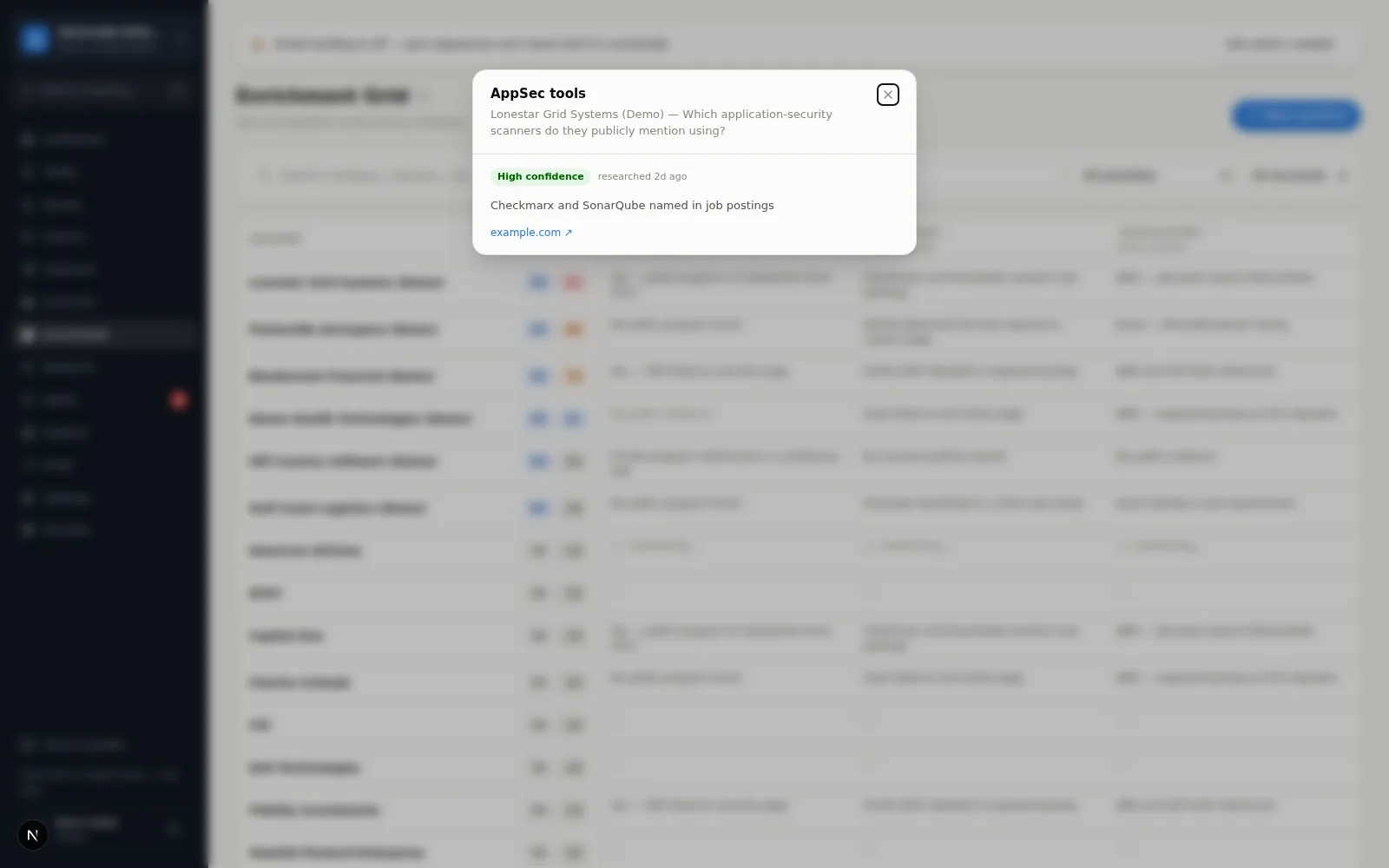
- 3Read the answersCells fill in as research completes. Click any cell for the full answer, confidence, and source links.
Write questions like you'd brief a person
“No public evidence found” is a real answer: research ran and found nothing citable, and the cell says only that — never a sentence the research couldn't source. Better than a guess. A Failed cell is different — the run didn't finish (the dialog says “Research didn't finish”), nothing was concluded, and Retry this account is one click away; a cell that says it is researching always has a job behind it. See the Enrichment Grid screen page for cell states.
While instant research is turned off