
How-to guides
Import your account list
Bring a CSV, map nothing, and queue research for the accounts you import.
Bring any list of companies as a CSV — Diurno HQ creates the accounts, skips duplicates, and can research every one automatically. No column mapping screens: it recognizes common headers by itself. (No list at all? Find new companies builds one from your filters — or straight from your website.)
- 1Open the import dialogAccountsImport CSV
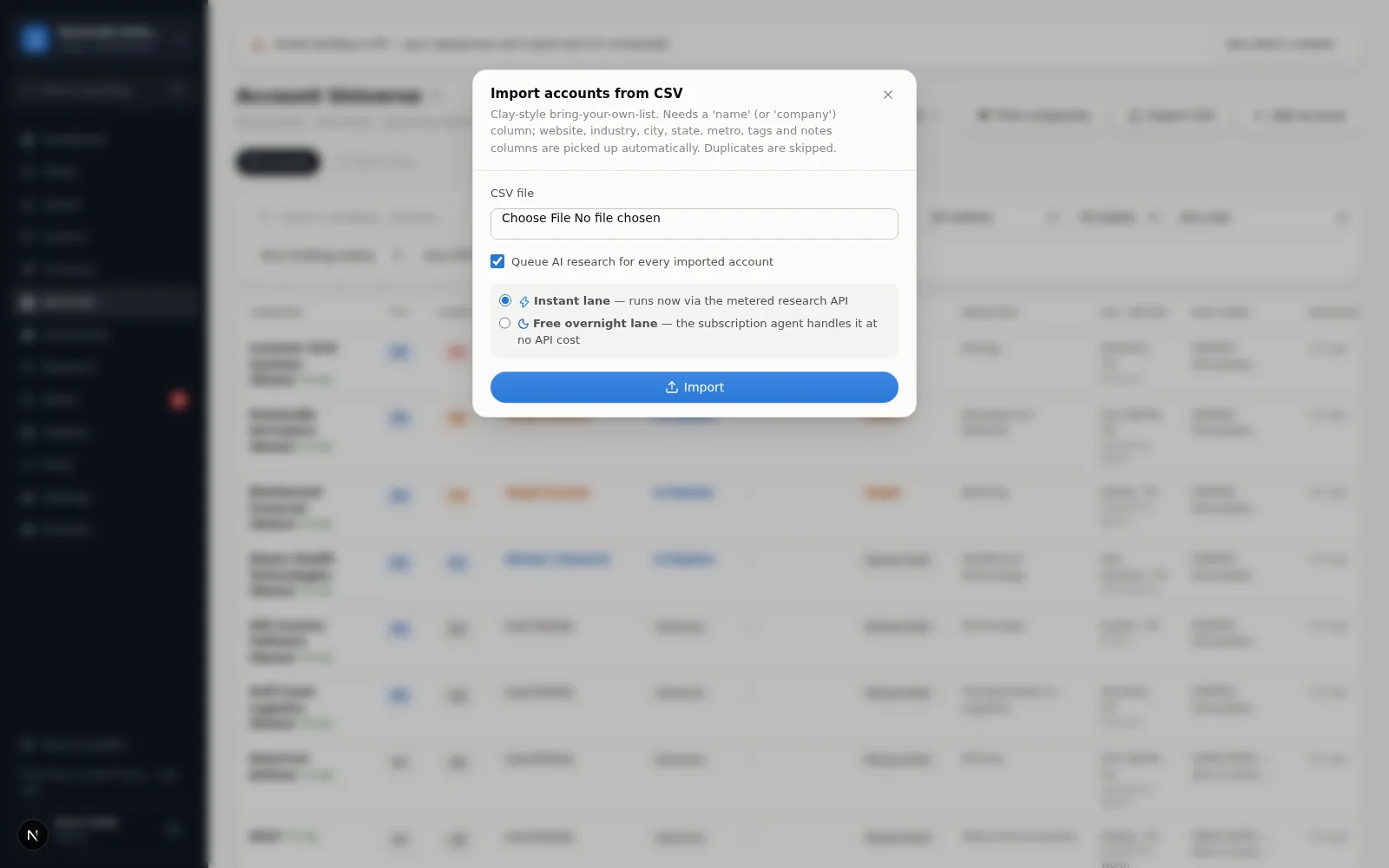
- 2Pick your fileThe only required column is name (or company). Also picked up when present: website/domain/url, industry, city, state, metro, tags, and notes. Extra columns are ignored. Not sure of the format? Download sample CSV in the dialog gives you a one-row example (a placeholder company, no people). Import stays disabled until a file is chosen. One import reads up to 2 MB and 20,000 rows and creates up to 1,000 new accounts; rows past that are reported, not dropped silently, so split a bigger list into several files. A website is stored as a web address (
acme.combecomeshttps://acme.com); a cell that isn't a web address is left blank. - 3Choose whether to researchLeave “Queue AI research for every imported account” on, then pick a lane: Instant (runs now, counted against your monthly instant allowance) or Free overnight (queued for an overnight batch at no charge; there is no guaranteed turnaround, and a long list is worked through over several nights). On the Free plan, or if the Research screen says instant research is turned off, the dialog offers only the overnight lane — nothing fails; on Free each account queued is one of the month's 40 research runs, and an account past the limit is still imported, just without research.
- 4ImportYou'll see exactly what happened: how many accounts were created, how many rows were skipped as existing, invalid, or over your plan's account limit, and how many research jobs were queued (with a note when some spilled to the free overnight lane because the instant allowance ran out). If the upload itself fails (a file that's too large, or the server is busy), you get a plain-language message instead of an error page.
Big list? Use the free lane
A 500-company list on the instant lane eats most of a month's instant allowance; on the free overnight lane it costs no allowance, but it is worked through in overnight batches with no guaranteed turnaround — expect more than one night for a list that size. See Research lanes & cost.
Adding one company by hand
AccountsAdd account — name, optional website and industry. Then hit Research now on its page when you want the full workup.