
Screens
Action Stream
Every account's next step in one color-coded to-do list.
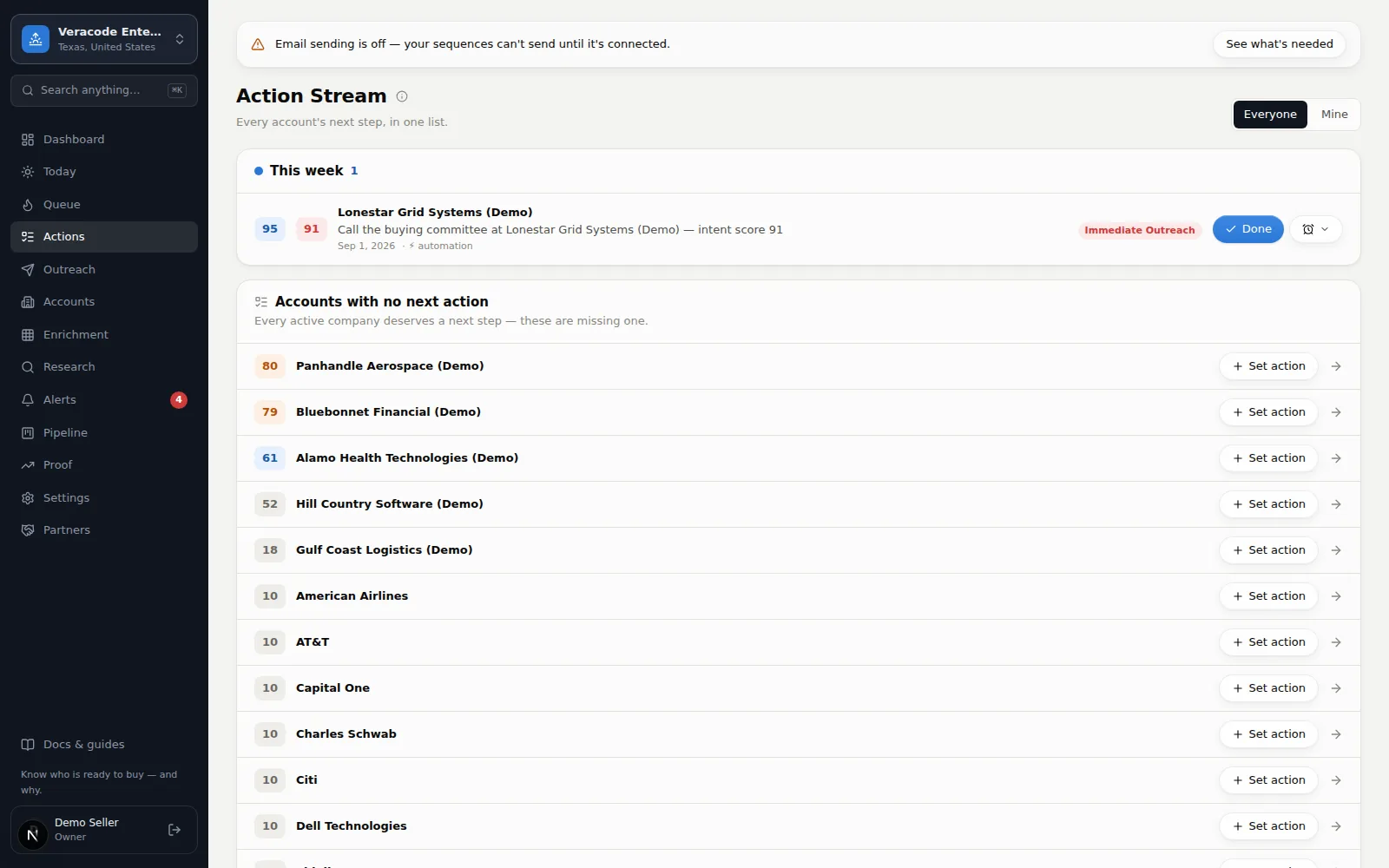
The Action Stream is a single to-do list across every account, sorted by urgency: Overdue, Today, This week, Later, No due date — plus a list of accounts that have no next action at all (so nothing silently goes stale). Work it top to bottom. Due dates, “due today” and “overdue” follow your workspace's own calendar day (its sending timezone, otherwise US Central), not the UTC date.
Working an action
- Done — opens a small Complete this step form right on the row, asking for the account's next action (optional) and a due date (optional), so the next step is set in the same motion. (That discipline is borrowed from OnePageCRM.) Nothing is completed until you press Complete; Cancel or Esc backs out.
- Snooze — push by a day, three days, or a week when the timing is wrong; a toast confirms the new due date.
- Dismiss — sits in the same menu as Snooze and removes the action; a toast offers Undo if you change your mind.
- Everyone / Mine — the switch at the top shows everyone's steps or just yours. If nothing is assigned to you, Show everyone is one click away.
Each row shows the account's Fit × Event badges and Due <date> (or No due date). Steps created by an automation rule are marked Auto-created. The accounts-with-no-next-action list at the bottom has a quick-add form with its own due date; it shows the first 25, with a View all link to the rest.
Where actions come from
- You add them on any account page (the bar under the header).
- Automation rules create them — e.g. “when an account enters Call now, create ‘Call within 48h’ assigned to the owner.”