
How-to guides
Add intent by hand
Record a signal yourself when you learn something the web hasn't published.
Sometimes you know something the public web doesn't — a prospect told you on a call, or you saw it at a conference. You can record it as a signal yourself, with one rule: a signal moves the score only when it has a public source. One you can't source is kept as a lead and scores zero.
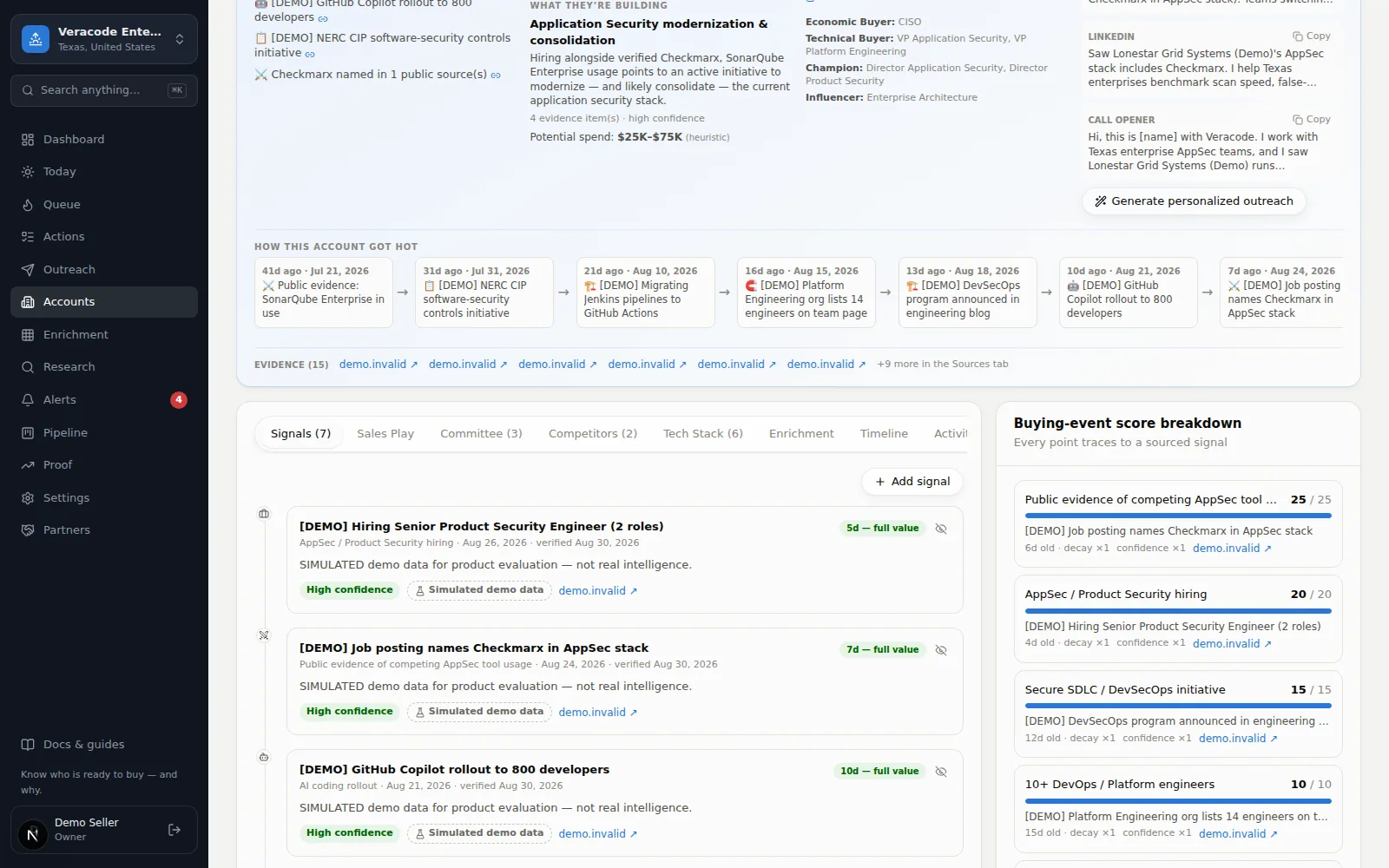
- 1Open the account's Signals tabAccountsthe companySignalsAdd signal
- 2Pick the scoring category it belongs toChoose which rule this evidence supports (e.g. “Hiring for security roles”). The rule's points flow into the score once the signal has a source.
- 3Describe it and give it a public sourceA headline, details, and a source URL — a public page that shows what you're recording, such as a job posting, a press release or a filing. Without a source URL the signal is stored as Needs Verification: it stays visible on the Signals tab as a lead, but it scores zero, and nothing verifies it later — Diurno HQ doesn't promote an unsourced signal on its own. A link to your own notes or to a page only you can open isn't a public source, and shouldn't be used to make a signal score (the product only checks that it is a web address, not that anyone else can read it). If what you know came from a conversation and nothing public backs it up yet, leave the URL blank so it stays a lead, and add a signal with a real source when one appears — to promote a lead, dismiss it and add it again with the source. That's the honesty rule working as intended. A signal with a source scores at the confidence you pick, so pick the one the source supports.
- 4SaveThe score, priority band and automations that match the change update right away. The why-now sentence in the brief, the Queue, Today and the trigger brief is built from the sourced signals as those screens open; the why-now line shown in the Accounts table and the CSV export is the one research last stored, so it can lag until the next research run.
Other ways people “set intent”
- Pipeline status — the dropdown on the account header (Target, In Pipeline, Disqualified…) is your human judgment; it never changes the score.
- Tags — labels (e.g. #hot-q3) you can filter by anywhere. There is no add-tag control on the account page yet: tags come from the tags column of a CSV import, the Add a tag automation, and the Salesforce import (#salesforce); you can remove one from the account header.
- Thresholds — if the bands themselves feel wrong, tune them in SettingsScoring.