

Product
Everything between a buying signal and your next call.
Diurno HQ takes an account from its first public signal to a drafted follow-up, and shows the evidence along the way.
1 · Find
Find the buying signals.
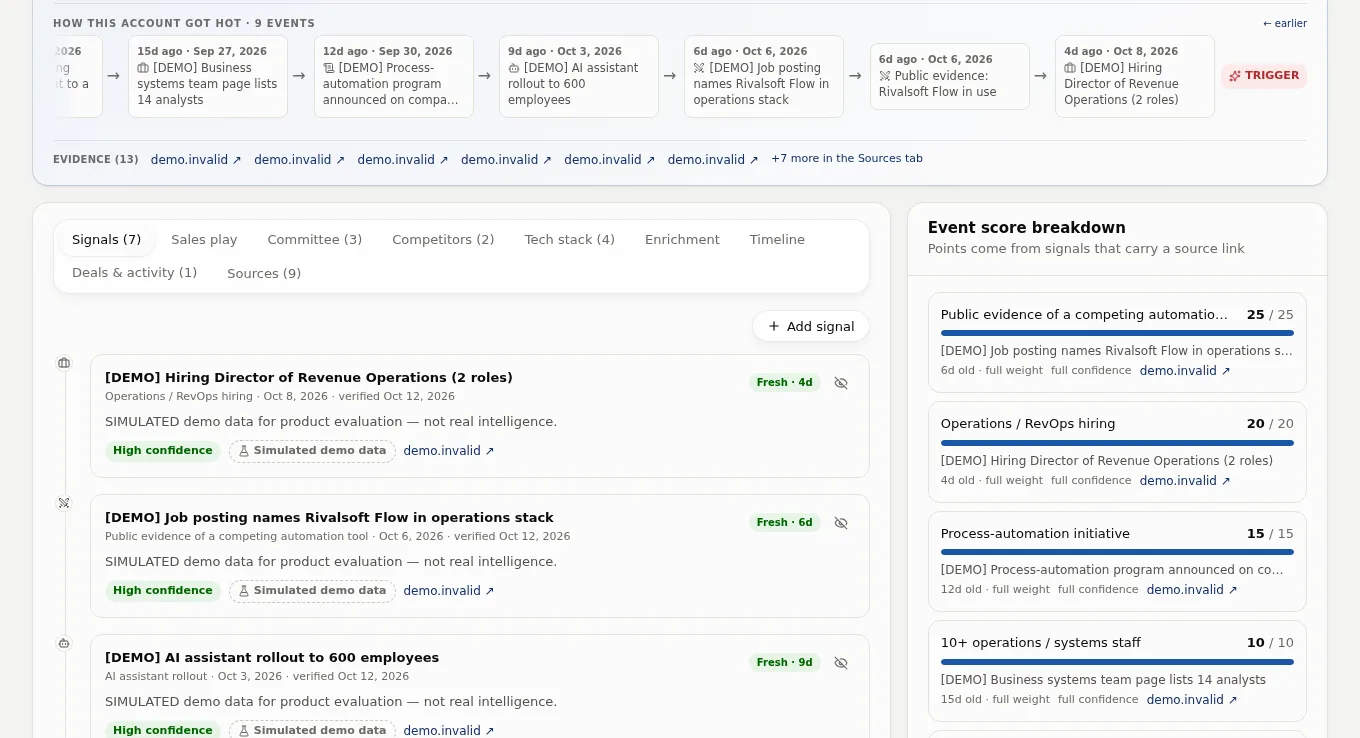
A research agent reads the open web for the accounts you monitor, in overnight batches, and saves findings with the pages they came from.
- Careers pages, job boards, press releases and news, read in overnight batches.
- Tools named in a company's stack, with the competing product flagged.
- Visits from the networks of companies you track, matched by confirmed network domain. ISP, carrier and cloud networks stay anonymous, and a match is a network, not a person.
- Signals you record yourself, when you learn something first-hand.
2 · Decide
Decide who to call today.
Two scores and a daily list turn a pile of signals into a short, ordered to-do list.
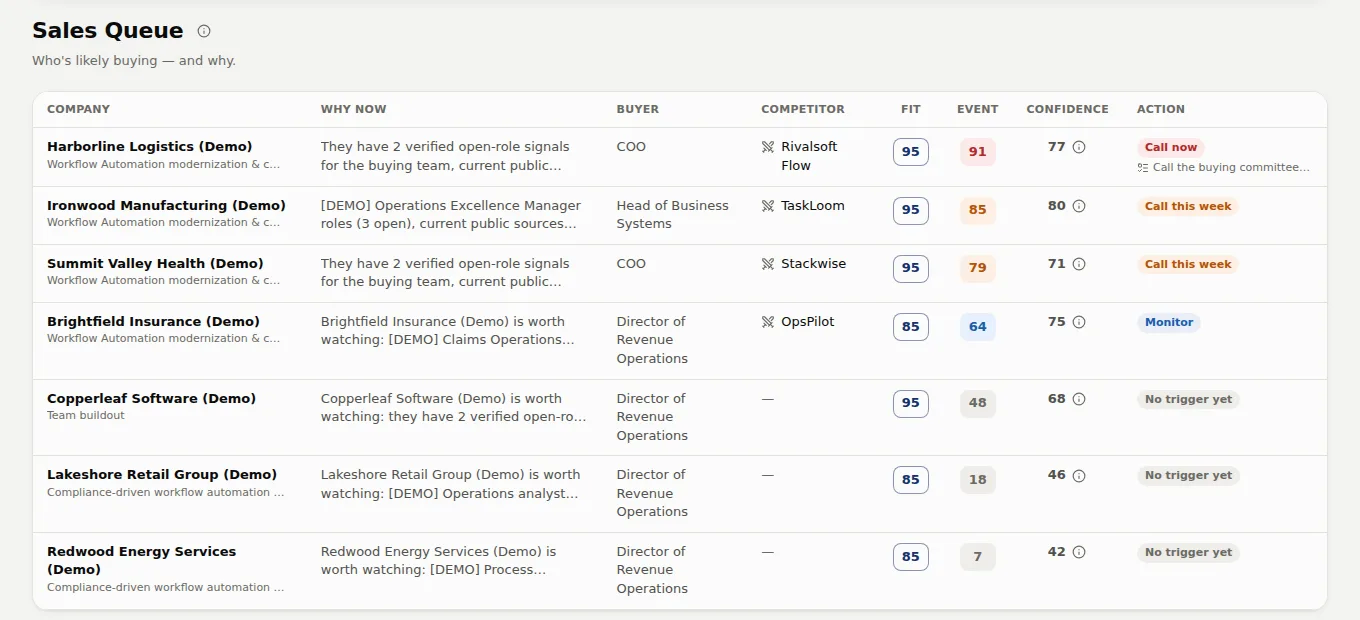
- Today: the companies to contact, built once each morning. Yesterday's picks return only with a new signal.
- Sales Queue: your top 50 accounts ranked by Event score, with why-now, buyer, competitor, Fit, Event and confidence.
- Fit says whether they are your kind of customer. Event says whether something is happening now.
- Alerts when an account heats up, a competitor shows up, or an account cools off.
3 · Reach
Know who to talk to, and what to say.
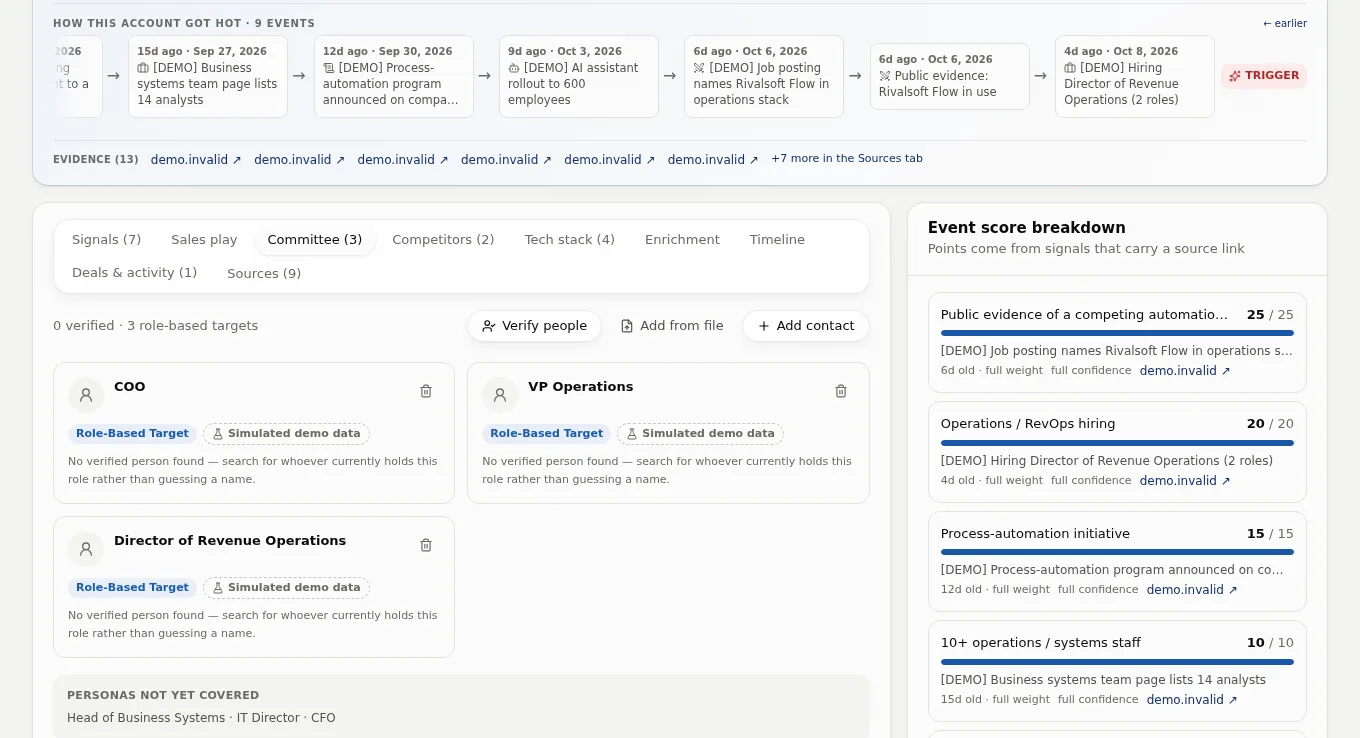
A researched account comes with a likely buying committee and drafts written from its own evidence.
- Your buyer personas grouped into likely roles: economic buyer, technical buyer, champion and influencer.
- Research marks a named person Verified only with a public source link (a profile link alone leaves them at Needs Verification); with neither, you get a role-based target.
- Verify people, and follow champions when they change jobs.
- Email, LinkedIn and call openers written from the account's sourced evidence.
4 · Work it
Work it, then see what converts.
A lightweight CRM keeps the follow-up moving, and the Proof page shows whether the whole approach is paying off.
- Next actions with assignees and snooze, so no hot account goes quiet.
- Sequences that mix email with LinkedIn and call tasks, with A/B variants. Email is sent from a Diurno HQ sending address on your behalf, once sending is switched on.
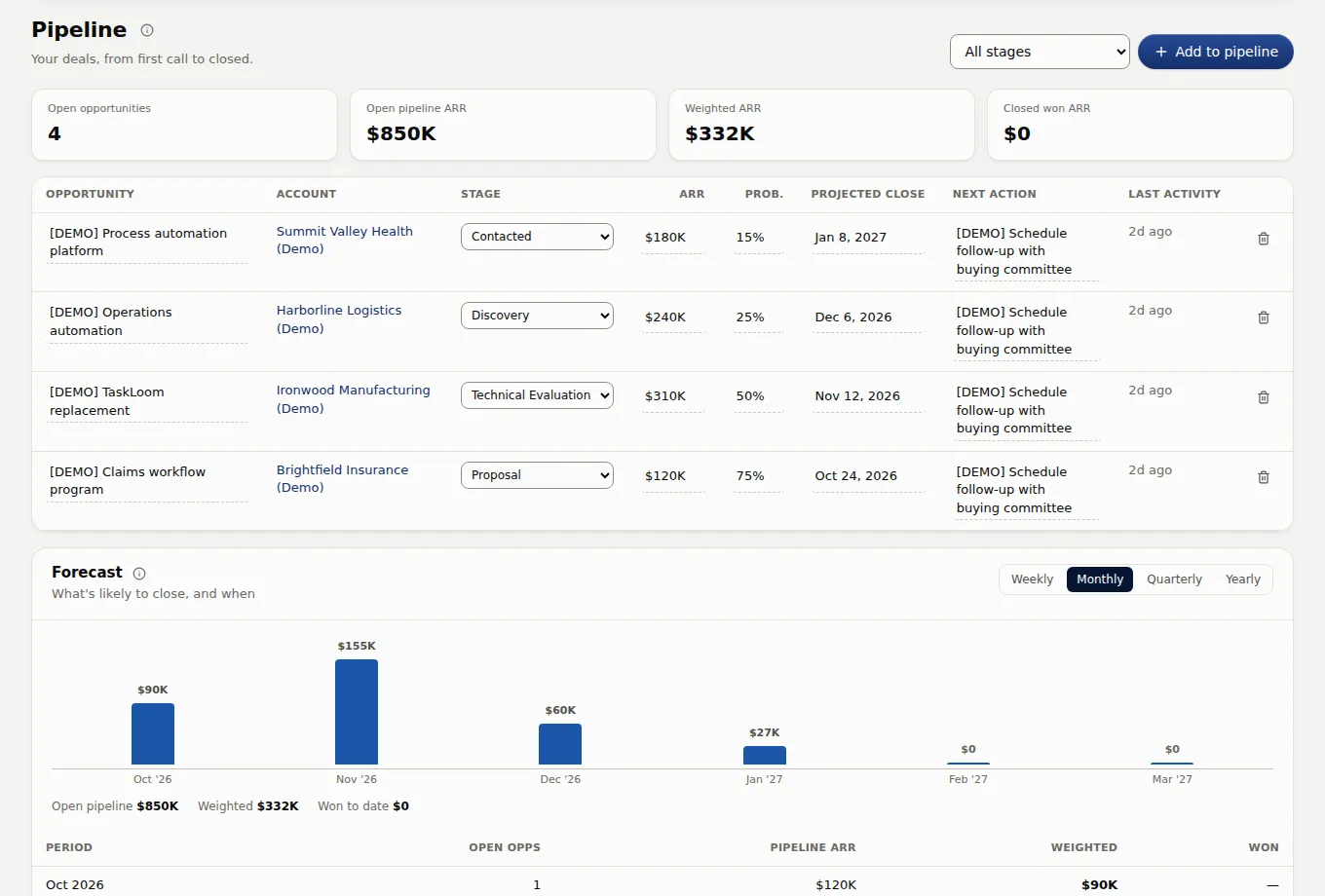
- A pipeline with ARR, probability, projected close dates and a forecast roll-up.
- Pushes to OnePageCRM and HubSpot, critical and high alerts to Slack, and HMAC-signed webhooks.
- Proof: whether accounts that went hot became pipeline, and which signals converted.
All features
What is in the box.
Everything below is built into the product. Email is sent from a Diurno HQ sending address once sending is switched on. The docs cover each feature screen by screen.
Fit × Event scoring
Two scores per account. Fit asks whether they are your kind of customer and changes slowly. Event asks whether something is happening now, and decays as signals age. A confidence score shows how much evidence stands behind it.
Today
The companies to contact today, built once each morning. Yesterday's picks come back only with a new signal, so the list does not nag. A card shows the why-now sentence, the signals behind it, a suggested contact and a draft opener, where the account has them.
Sourced research
A research agent reads careers pages, job boards, press releases and news. Research saves findings with their source links and, when the source shows one, the observed date. Anything it cannot verify is marked Needs Verification and scores zero.
Buying committee
Your buyer personas grouped into likely roles: economic buyer, technical buyer, champion and influencer. Research marks a named person Verified only with a public source link (a profile link alone leaves them at Needs Verification); with neither, you get a role-based target.
Competitive intelligence
Evidence of the competing tools already in place, with its source, a confidence level, a displacement play, and the renewal clue when a public source shows one.
Website visitor intent
One snippet on your site turns visits from the networks of companies you track into scored signals. A visit is matched only when the visitor's network name is confirmed and belongs to that company's domain, not by fuzzy name matching. ISP, carrier and cloud networks stay anonymous counts, and a match identifies a network, not a person.
Sales Queue and next actions
A ranked queue with the why-now, buyer, competitor, scores and confidence, plus an action stream with assignees and snooze so no hot account goes quiet.
Outreach
Templates with placeholders and A/B variants, multi-step sequences that mix email with LinkedIn and call tasks, and one-off compose from any account. Email is sent from a Diurno HQ sending address on your behalf, once sending is switched on, with your mailing address and an unsubscribe link in its footer.
Champion tracking
Star your best contacts. Job-change checks run on them regularly, and a champion who lands at a tracked account joins its committee with a scored signal.
Prospector
Find new companies by filters or from a customer you already have. Candidates come back with the public source they were found from, a reason they might fit and, when research finds them, up to two likely decision-makers, named only when a public source names them. Companies from your own searches join your universe only when you add them.
Proof
Outcome lift (did accounts that went hot become pipeline?) and which signals convert, with the method shown beside the numbers.
Integrations and teams
Push an account and its best contact to OnePageCRM or HubSpot, send critical and high alerts to Slack, or receive HMAC-signed webhooks. Workspaces per product or market, roles, CSV import and export, saved segments.
See it on your own accounts.
A 90-day pilot runs the whole loop on your target list, with a guarantee. See pricing for the terms.